
Managing Secrets
Secrets are encrypted environment variables that your function can access at runtime. Use them for API keys, access tokens, passwords, and any other sensitive values that should never appear in source code.
How Secrets Work
Section titled “How Secrets Work”Secrets are:
- Encrypted at rest — values are encrypted before being stored in the database
- Read securely only during deployment — when you deploy, secrets are sent to your function’s environment bindings
- Never exposed in the UI — after creation, the secret value is never shown again. Only the key name is visible.
- Available as
env.SECRET_NAME— your function code accesses secrets through theenvparameter
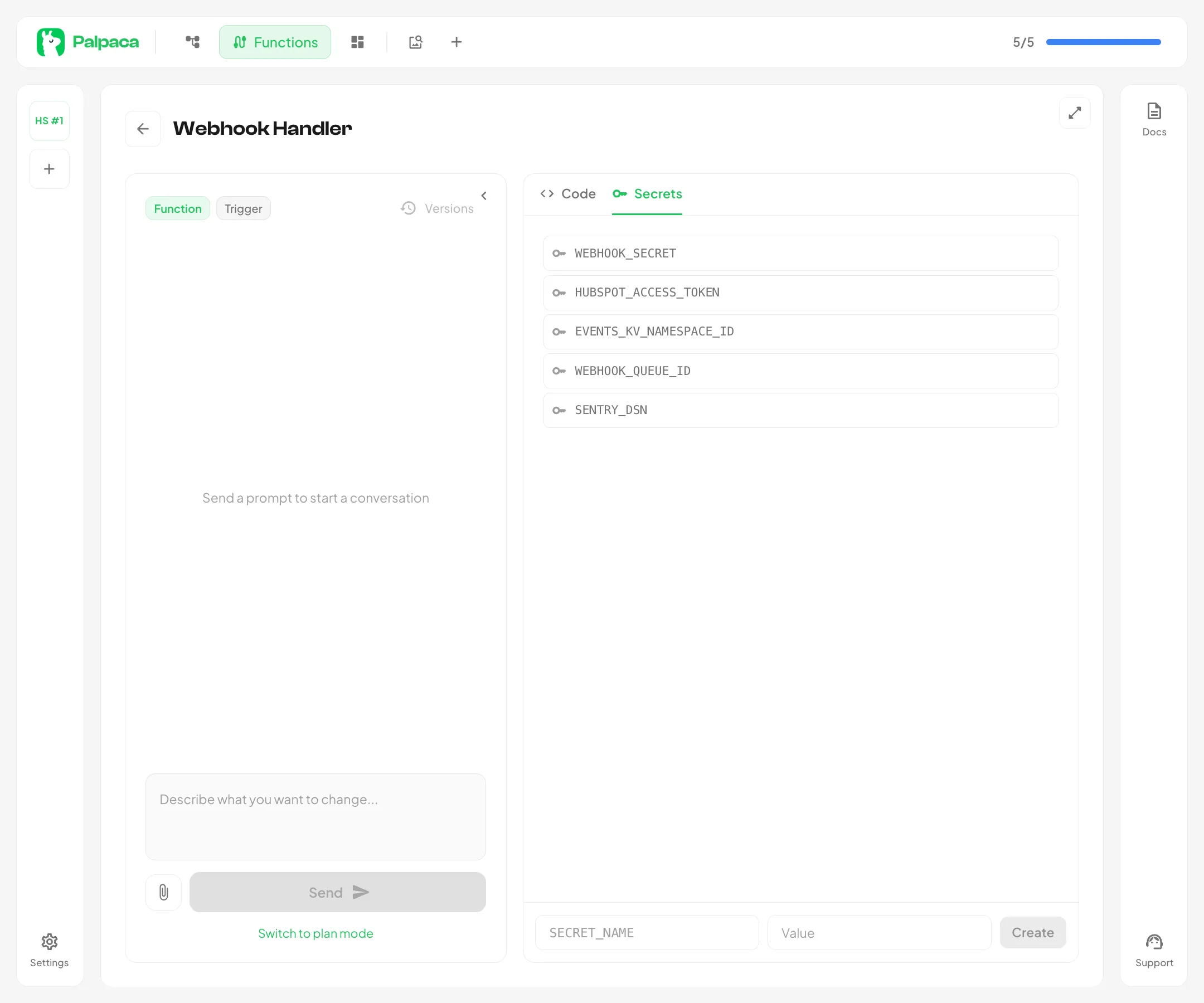
Creating a Secret
Section titled “Creating a Secret”- Open a function in the editor
- Switch to the Secrets tab in the right panel
- Enter a name in the
SECRET_NAMEfield — names are automatically uppercased and formatted with underscores (e.g., typing “hubspot api key” becomesHUBSPOT_API_KEY) - Enter the value — the actual API key, token, or password
- Click Create
The name must be at least 3 characters and can only contain letters, numbers, and underscores.
Using Secrets in Code
Section titled “Using Secrets in Code”Define an Env interface in your function and access secrets through the env parameter:
interface Env {  HUBSPOT_API_KEY: string  SLACK_WEBHOOK_URL: string}
export default {  async fetch(request: Request, env: Env, ctx: ExecutionContext): Promise<Response> {    const response = await fetch("https://api.hubapi.com/crm/v3/objects/contacts", {      headers: { Authorization: `Bearer ${env.HUBSPOT_API_KEY}` },    })    return new Response("OK")  }}
Deleting a Secret
Section titled “Deleting a Secret”Click the delete icon next to any secret in the list. You will be asked to confirm before the secret is removed. After deletion, your function may stop working if it references the deleted secret — redeploy after updating the code.
Important Notes
Section titled “Important Notes”- Secrets are bound during deployment. If you add or change a secret, you must redeploy the function for the change to take effect.
- You cannot view secret values after creation. If you lose a secret value, delete the old secret and create a new one.
- The AI agent will never write secrets into code. It always references them via
env.SECRET_NAMEand asks you to add them in the Secrets tab.