
Using the Functions Agent
The left panel of the function editor is an AI agent chat. The agent writes serverless function code for you — describe what you want, and it builds or modifies your function.
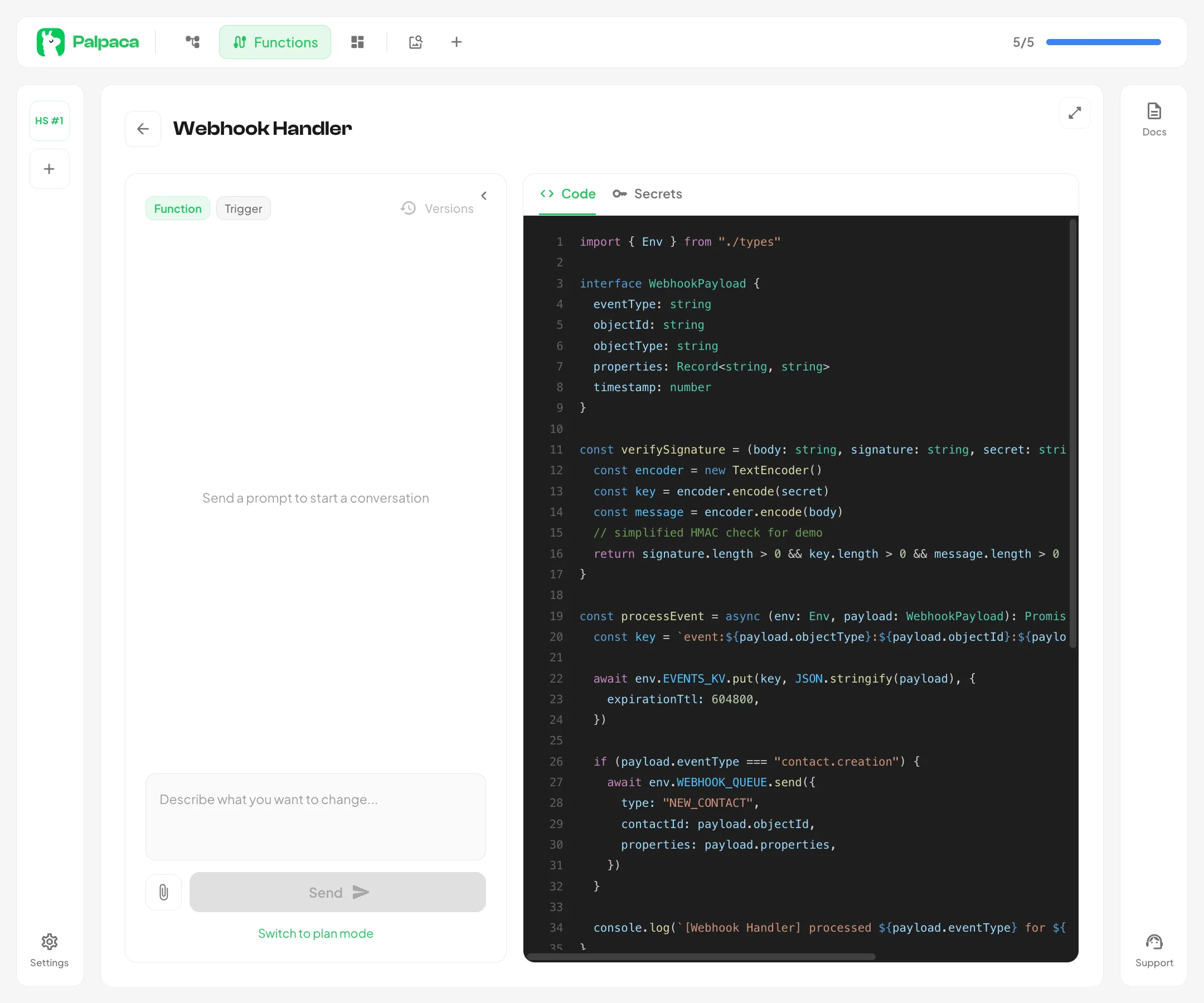
What the Agent Can Do
Section titled “What the Agent Can Do”- Write new functions from scratch — describe the behavior and the agent creates the full implementation
- Modify existing code — ask for changes and the agent updates your function
- Integrate with APIs — the agent can write code that calls HubSpot, Slack, Stripe, or any external API
- Read your CRM schema — the agent has access to your portal’s schema files, so it uses the correct property names and pipeline IDs
- Reference HubSpot API specs — the agent knows the HubSpot API, so it writes correct API calls without guessing
Build vs Plan Mode
Section titled “Build vs Plan Mode”The agent has two modes, toggled above the chat input:
- Build — the agent writes code directly. Best for straightforward tasks.
- Plan — the agent analyzes the request and proposes a plan before making changes. Best for complex functions. Click Implement Plan when satisfied.
Sending Prompts
Section titled “Sending Prompts”Type your message in the input at the bottom and press Enter or click the send button. The agent will analyze your request, read relevant files, and write the code.
Attaching Images
Section titled “Attaching Images”You can attach images to your messages — useful for sharing API documentation screenshots, architecture diagrams, or error messages from external services.
Conversation History
Section titled “Conversation History”Your conversation history is preserved as you navigate. Scroll up to review previous messages. The agent retains context from earlier prompts, so you can iterate without repeating yourself.
Draft Persistence
Section titled “Draft Persistence”Unsent messages are auto-saved between sessions. Navigate away or close the browser — your draft will be waiting when you return.
How the Agent Handles Secrets
Section titled “How the Agent Handles Secrets”The agent will never hardcode API keys, tokens, or passwords in your code. If your function needs a secret, the agent will:
- Add the secret name to the
Envinterface in your code - Reference it as
env.SECRET_NAME - Ask you to create the secret in the Secrets tab
If you paste a secret value in the chat, the agent will refuse it and redirect you to the Secrets tab.