
Generating Schema
The schema agent can generate proposed changes to your CRM schema. Instead of modifying your HubSpot portal directly, the agent creates a proposal — a set of changes you can review before deploying.
How Proposals Work
Section titled “How Proposals Work”When you ask the agent to add or modify schema elements, it creates proposed changes that appear alongside your existing schema. Proposed items are visually distinct — marked with orange badges and borders so you can easily identify what is new.
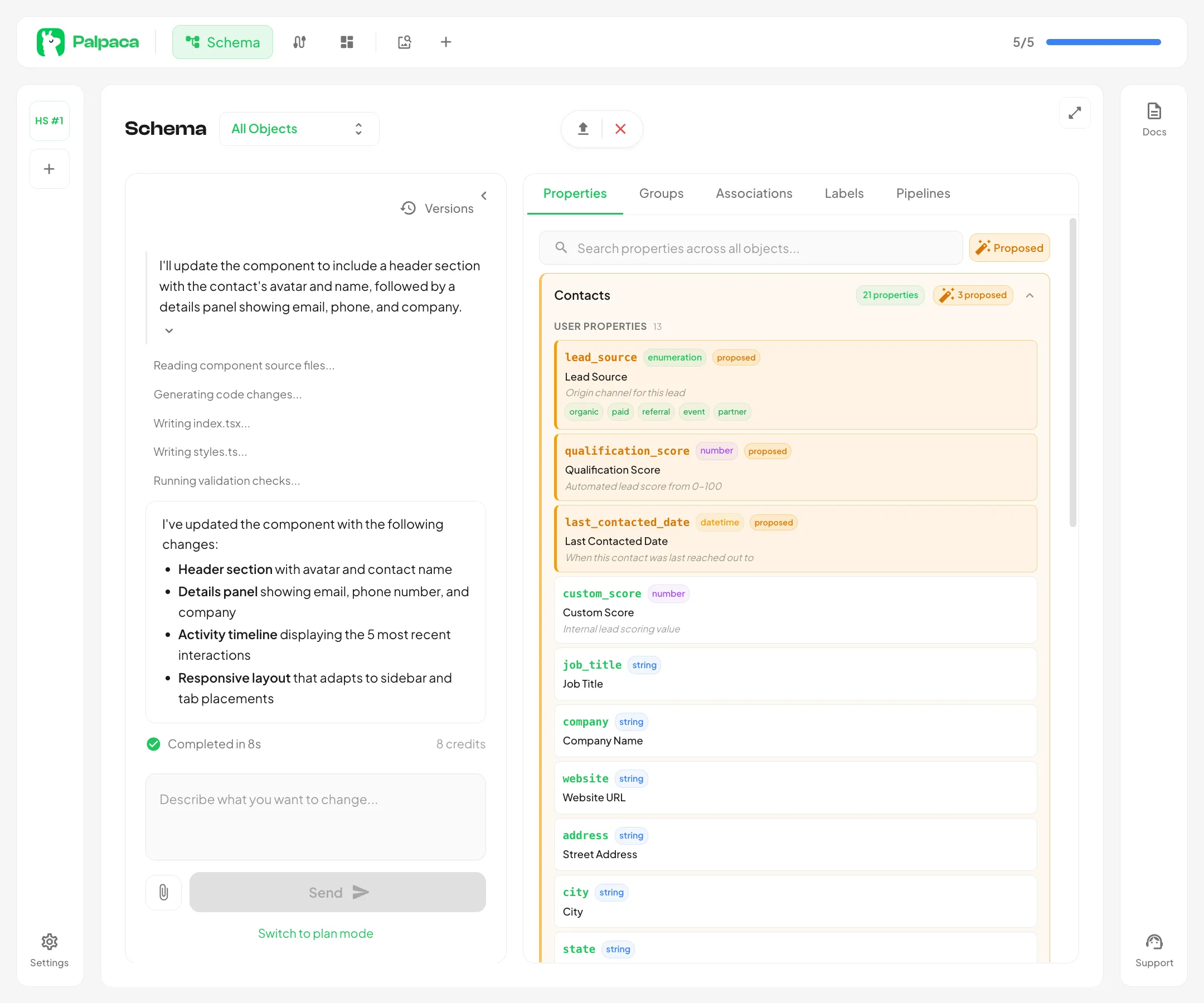
Proposals can include:
- Properties — new fields on any object (e.g.,
lead_source,qualification_score) - Property groups — organizational containers for related properties
- Associations — relationships between objects
- Association labels — named labels that describe specific relationship types
- Pipelines — new pipelines and stages for objects that support them
Creating a Proposal
Section titled “Creating a Proposal”- Open the Schema page
- Type a prompt describing the changes you want (e.g., “Add lead scoring properties to Contacts”)
- The agent analyzes your existing schema and generates proposed changes
- Proposed items appear in the schema viewer with proposed badges
You can continue sending prompts to refine the proposal. The agent builds on previous changes within the same conversation.
Reviewing Proposed Changes
Section titled “Reviewing Proposed Changes”Use the Proposed button above the properties list to filter and show only objects with proposed changes. Each proposed item displays:
- The property name and type
- A proposed badge indicating it has not been deployed yet
- The label and description the agent generated
Expand any object row to see its proposed properties alongside existing ones.
Deploying a Proposal
Section titled “Deploying a Proposal”Once you are satisfied with the proposed changes, click the Deploy button in the schema viewer header. Deployment pushes all proposed changes to your HubSpot portal:
- New custom objects are created
- Property groups are created on the target objects
- Properties are added with the correct types, labels, and options
- Pipelines and stages are configured
- Association labels are registered
After a successful deploy, the proposed badges disappear and the items become part of your live schema.
Versioning
Section titled “Versioning”Each deploy creates a version snapshot. You can view previous versions using the Versions button in the schema viewer header to track how your schema has evolved over time.